MichaelMassie.com/projects
Project Journal
Lighthouse: A Map To Check Friends Proximity To Disasters
A few summers ago, I watched news coverage of a wildfire tearing through a part of California and had a nagging thought: I wonder how close any of my friends are to these fires. That gap between “disaster happening somewhere” and “disaster happening to someone I care about” is the reason I built Lighthouse. It’s a single-page map that plants a small flag at the home of every person in my contacts list, then overlays live natural-disaster data on top: wildfires, hurricanes, tornadoes, floods, earthquakes, air quality, and smoke forecasts. The goal isn’t to be another disaster tracker, plenty of those exist. It’s to answer one very specific, very human question at a glance: is anything out there threatening someone I know and love, and should I reach out?
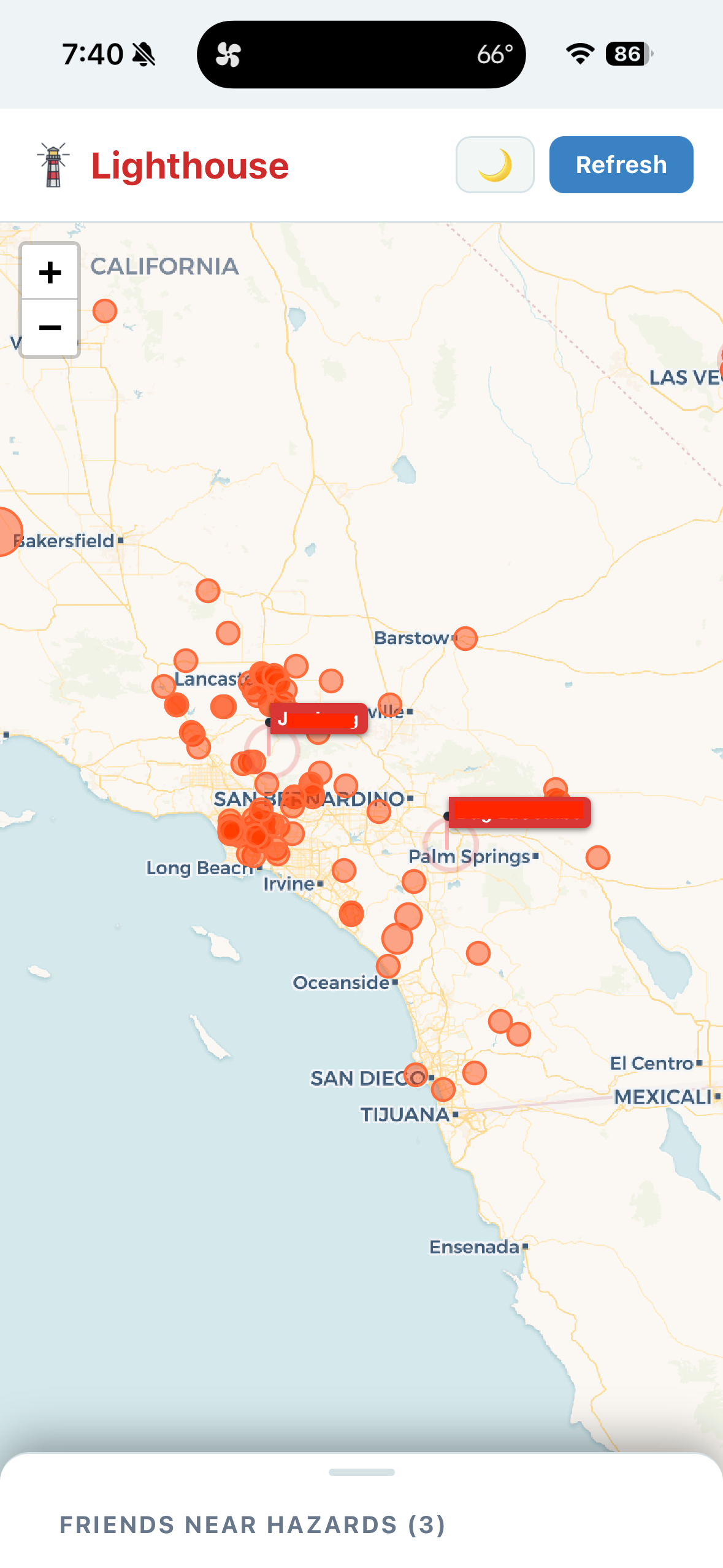
Using it is deliberately boring. You just open index.html in a browser — no server, no build step, no API keys — and the map loads with your contacts flagged in blue. Live hazard data streams in from free public feeds (NIFC for wildfires, the National Weather Service for severe weather, USGS for earthquakes, NASA EONET for global events, and EPA AirNow plus NOAA for air quality and smoke), refreshing itself every fifteen minutes. The app continuously measures the distance between every contact and every active hazard, and anyone inside the danger zone — within reach of a fire scaled by its acreage, inside a severe weather alert polygon, under a heavy smoke plume — gets a pulsing red flag and a card telling you exactly what’s nearby and how far away it is. Click the card, and the map zooms straight to them. If nobody’s threatened, it simply says “all clear,” and you close the tab knowing everyone’s fine. Layer toggles, a light/dark mode, and per-feed status lights round it out.
Your contact data stays yours: it lives in a plain contacts.json file (with a CSV mirror if you’d rather edit in a spreadsheet), geocoded once and cached, never sent anywhere except the free US Census geocoder that sharpens pin accuracy on first load. The data file contains real names and home addresses, so if you fork this project, keep your repository private. Beyond that, make it your own. Add contacts, prune old addresses, flip on the layers you care about, and let it sit in a pinned tab. Most days it will tell you nothing at all. But on the day a fire map on the news makes you wonder don’t I know somebody out there? — you’ll already know the answer.
tags: project